 Grainy
How to Get the Y2K Digicam Look on Android (Without Buying an Old Camera)
The flat flash, the cool colour, the crunchy noise in the shadows: the Y2K digicam look is everywhere again. This guide explains where that look comes from and how to get it straight out of your Android phone's camera, live in the viewfinder, with no editing afterwards.
Why the digicam look is back
Open any feed today and you will find photos that look like they were taken on a 2003 point-and-shoot: a little too blue, a little too sharp in the wrong places, lit by a flash that flattens everything in front of it and leaves the background in darkness. Party shots with red-tinged faces. Night streets where the street lights bloom into soft white blobs. Food photographed from directly above with the flash on. None of it is technically "good", and that is exactly the point.
Modern phone cameras are extraordinary. They stack a dozen frames for every shot, lift the shadows, tame the highlights, smooth the noise and sharpen the edges until every photo looks clean and balanced. That is great for a document or a product listing. It is less great for a memory. After years of perfect, computational photos, a lot of people have started to miss the character of cheaper cameras: the mistakes that made a photo feel like a moment rather than a rendering.
The result is a full revival. Secondhand compact digital cameras from the early 2000s now sell for several times their original price. People carry them to concerts and birthdays just to get the look. But an old camera brings old problems: tiny screens, batteries that die after twenty shots, memory cards you have to empty with a card reader, and files you then have to move to your phone before you can share anything.
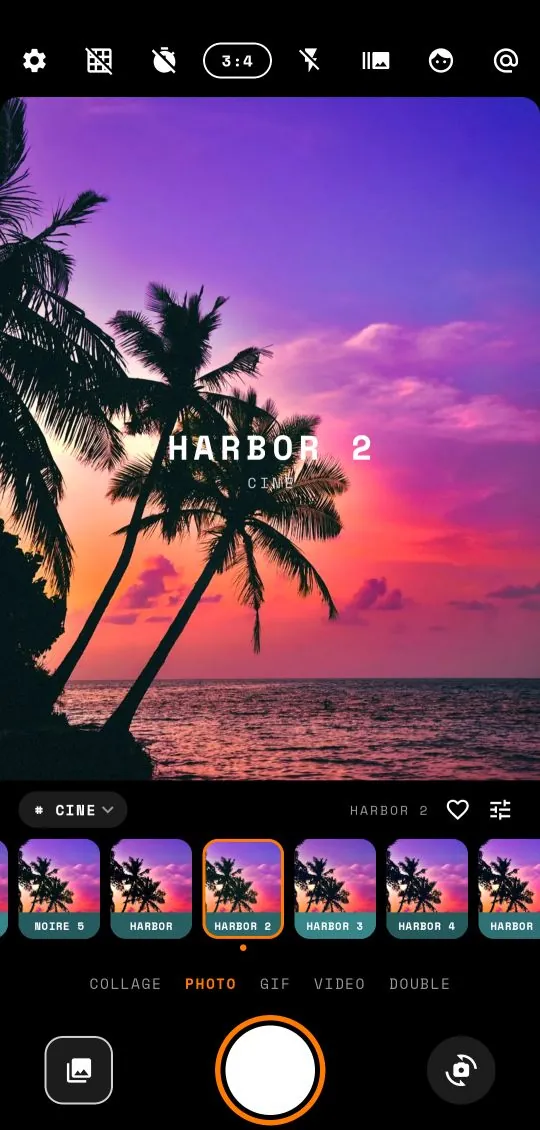
The alternative is to bring the look to the camera you already carry. That is what Grainy does. It is a filter camera for Android that applies a digicam, CCD or film look live in the viewfinder, so the photo you take is the finished photo. No editing afterwards, no transfer, no watermark.
What actually makes the look
The Y2K digicam look is not one effect. It is a stack of small habits that cheap digital cameras had in common. Once you can name them, you can spot them in any photo, and you can tell a good imitation from a lazy one.
1. Cool, slightly off colour
Early digital cameras had simple white balance that often guessed wrong. Indoor shots came out cool or greenish; daylight could swing towards cyan. Skin tones were rarely accurate. That cool cast is the first thing most people recognise.
2. Clipped highlights
Small sensors had very little dynamic range. A bright sky or a lamp simply turned to flat white, with a hard edge where the detail ended. Phones today work hard to prevent this. The digicam look needs it back.
3. Noise that looks digital, not like film
Film grain is soft and even. Digicam noise is different: blotchy, coloured, strongest in the shadows, especially in low light. It reads as "digital camera at night" in a way film grain never does.
4. JPEG crunch
Cameras of that era saved small, heavily compressed JPEGs. Edges got a faint halo and fine textures turned slightly blocky. It is subtle, but it is part of why those photos feel crisp and cheap at the same time.
5. Harsh direct flash
A tiny flash right next to the lens lights the nearest subject brightly and evenly, kills the shadows on faces, and lets the background fall off into darkness. This is the signature of the party photo.
6. The orange date stamp
Many compacts could print the date in the corner of the frame, in glowing orange digits. It was meant for record keeping. Now it is a style choice in its own right.
A good digicam filter needs most of these at once. A filter that only shifts the colour cool will look like a cool filter, not like a camera. That is why Grainy's Digicam / CCD presets work on several of these habits together: the colour, the clipped highlights, colour noise, JPEG crunch, harsh flash and the orange date.
Why shooting it live beats editing later
You can, of course, take a normal photo and add a filter in an editor. There are three reasons to do it live instead.
You frame for the look. When the viewfinder already shows the clipped sky and the crushed shadows, you naturally frame differently. You move so the lamp blooms behind your friend's head, or step closer so the flash does its job. When you edit later, you are stuck with a frame you chose for a different picture.
The moment is the edit. A big part of the old-camera appeal is that you did not fiddle afterwards. You pressed the button and that was the photo. Shooting with a live preset brings that discipline back, and it is faster: by the time you have put the phone in your pocket, the photo is finished and in your gallery.
Consistency. If you shoot a whole evening in one preset, every photo matches. That is the secret of a cohesive photo dump, and it is much harder to achieve by editing thirty photos one by one.
How to shoot the digicam look with Grainy
Here is the whole process, from install to first saved photo. It takes under a minute.
- Install Grainy from Google Play and open it. Allow camera access when Android asks. The microphone is only needed for videos and is asked for later.
- Open the preset family menu. Above the preset strip, on the left, there is a small chip showing the current family (for example ALL). Tap it to open the presets panel and choose CCD.
- Swipe across the viewfinder to move through the presets in the family. The name of each one appears briefly on screen. Names such as Pixel, Soda, Mall, Arcade, Blink or Memory belong to the digicam family.
- Tap the viewfinder to focus on your subject.
- Turn on the flash with the lightning icon in the top bar if you are indoors or it is dark. Direct flash is half the look.
- Press the shutter. The photo saves straight to
Pictures/Grainywith the look baked in.
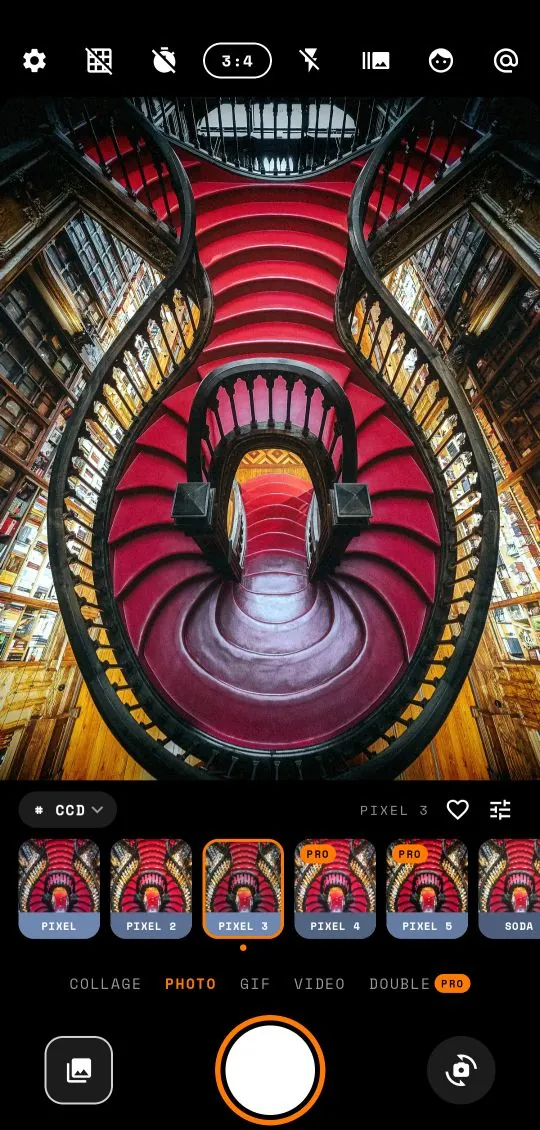
Want it stronger or softer? Tap the slider icon next to the heart above the strip to open the adjust panel. Intensity blends the preset with the original picture, and Exposure brightens or darkens it. Both are free. The full guide to adjusting a preset covers the rest of the dials.
For the orange digits in the corner, open Settings (the gear in the top bar) and check that Orange date stamp is on. It is on from the start, and appears on Digicam and CCD shots.
Where the look works best
The digicam look is not right for everything. It shines in a handful of situations, and knowing them will make your photos look intentional rather than accidental.
Nights out and parties
This is the natural home of the look. Indoors, at night, with the flash on, a digicam preset turns a dim, muddy phone photo into a sharp, high-contrast snapshot with a bright subject and a dark background. Shoot close: the flash only reaches a couple of metres.
City lights and neon
Street lights, shop signs and neon bloom nicely under clipped highlights, and the cool colour cast suits concrete and glass. Turn the flash off for wide street scenes so the light comes from the signs themselves.
Food and tables from above
A flat lay of drinks or dinner, shot straight down with flash, is a classic of the era. Grainy's level guide helps here: when you hold the phone flat over the table, it shows a bubble that turns orange when the phone is perfectly level, so your top-down shots come out square.
Mirror shots and outfits
Mirror selfies with the flash firing into the glass are a core part of the Y2K style. The flash flare becomes part of the composition. Use the 3:4 or 9:16 ratio for full-length outfits.
Everyday details
A bus window, a vending machine, a cat on a step. The digicam look makes small, ordinary scenes feel like found photos from an old memory card.
Common mistakes
- Shooting everything in daylight. The look is strongest in mixed or low light. Bright noon sun gives you a cool-tinted ordinary photo. Try a Faded film or Warm analog preset instead for sunny days.
- Standing too far away with the flash on. The flash falls off fast. Get close, or turn it off.
- Mixing ten presets in one set. The photos will not look like they came from one camera. Pick one, maybe two, and stay there.
- Adding more effects in another app afterwards. Extra sharpening and filters on top of a digicam preset usually push it into looking fake. The live result is designed to be the finished photo.
- Forgetting the ratio. Many old compacts shot 4:3. Grainy's default 3:4 portrait frame is a good match. Full screen looks more modern.
Free or Pro?
Grainy is free to download, and about 200 of its 330 presets are free, spread across all six families. That includes a good selection of Digicam / CCD presets, so you can get the look without paying anything. The free version is supported by ads, and the ads never cover the viewfinder.
Grainy Pro removes ads and unlocks every preset and pack, every adjust tool, saving your own presets, double exposure, every collage layout, longer videos and stronger beauty. It is available as a monthly or annual subscription or a one-time lifetime purchase, with prices shown by Google Play in your currency. You can try any Pro preset live in the viewfinder before deciding: the paywall only appears when you try to save.
Whatever you choose, there is no watermark. Photos, videos and GIFs leave the app clean, and everything is processed on your phone. Grainy has no account and never uploads your pictures.
Frequently asked questions
What is the digicam look?
It is the look of the cheap point-and-shoot digital cameras of the late 1990s and early 2000s: small CCD sensors, harsh built-in flash, cool or slightly green colour, clipped highlights, visible noise and heavy JPEG compression.
Do I need an old digital camera to get the Y2K look?
No. Grainy recreates the colour, noise, flash and date-stamp habits of those cameras on your Android phone, live in the viewfinder, so the photo saves with the look already in it.
Is Grainy free?
Yes. Grainy is free to download with about 200 of its 330 presets included, supported by ads that never cover the viewfinder. Grainy Pro removes ads and unlocks the rest.
Does Grainy add a watermark?
No. Photos, videos and GIFs save without a watermark. An optional small stamp exists and it starts switched off.